Product questions — AI answers on the product page
"Ask AI about this product" is a block on the product page where a shopper asks a question and gets an answer right away: will the size fit, does the tire have studs, will the laptop fit in the backpack. The AI answers from the product description and attributes and from your store's knowledge base, in the language of the question, and makes nothing up: if the data has no answer, it says so and suggests asking a person. The report shows what shoppers ask, what the AI found no answer to, and what they bought after asking.
You need the installed tracker (Connecting your website), a product catalog with descriptions (Recommendations and product catalog), and a paid plan with money on the balance, see Billing.
How the AI answers
The AI sees the card of the product whose page the question was asked on:
- the name, description, and categories — in the shopper's language if the catalog has a translation;
- the brand, price, and availability;
- attributes from the feed and the attributes of your store industry with their labels, see Store industry.
For delivery, payment, returns, warranty, sizes, and care, the AI looks for the answer in the articles and pages of the knowledge base — the same one AI in chat uses. Articles the answer is based on are shown under it as links if they have an address.
- Language. The answer is in the language of the question, even if the product description is in another language: on a German storefront, shoppers can ask in English.
- Nothing made up. If neither the product card nor the knowledge base has the answer, the AI says the store doesn't specify it and suggests asking a person. Such a question goes into the report as unanswered.
- Only about the product and the store. To off-topic questions, the AI politely replies that it can only help with this product.
- Repeats. The same question about an unchanged product in the same language within 24 hours is answered instantly, without a new request to the model and without a charge.
- Rate. One visitor can ask up to 5 questions per minute and up to 50 per day.
Turning it on and modes
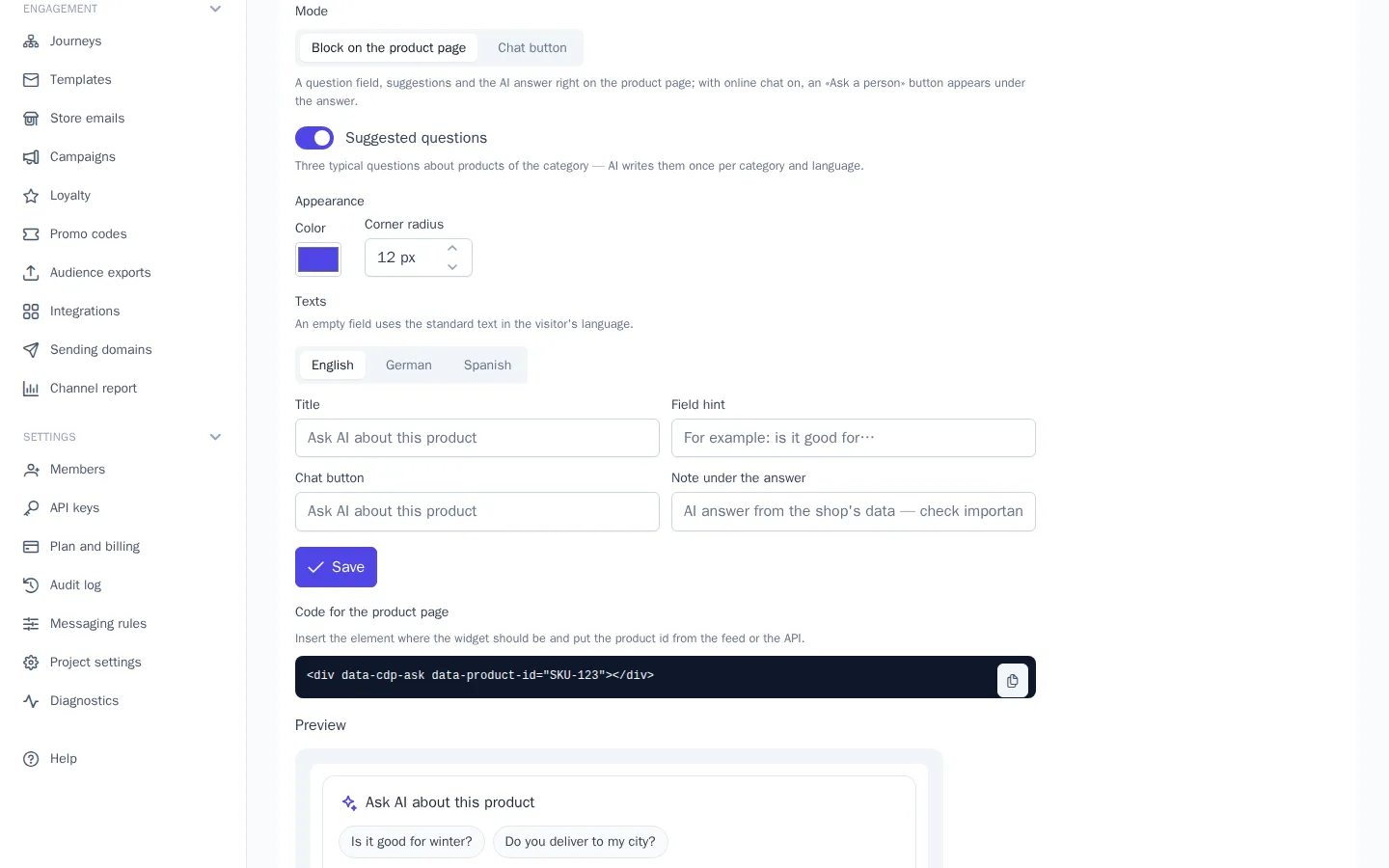
Open Website → Product questions, turn on Show the widget on the site, and choose a mode:
| Mode | What the shopper sees |
|---|---|
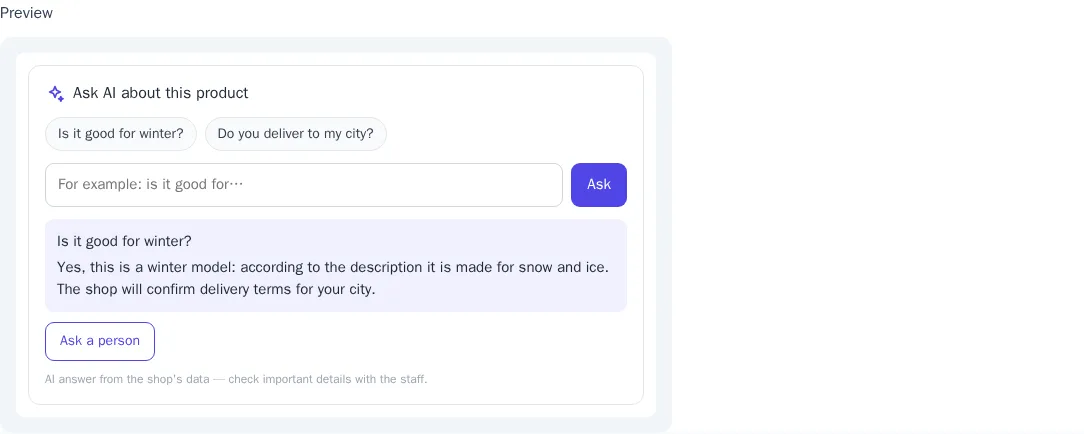
| Block on the product page | a title, suggested questions, a question field, and the AI answer right on the product page; if live chat is on for the website, an "Ask a person" button appears under the answer |
| Chat button | an "Ask AI about this product" button that opens live chat: the question goes to the bot or an operator, and the product is visible in the conversation, see Product in chat. Without live chat turned on, the block is shown |
Suggested questions are three short typical questions for products of the category, for example "Is it good for winter?". The AI writes them once per category and language and keeps them for 30 days; clicking a suggestion asks the question right away.
If the AI is unavailable right now — the balance is empty, the spending limit is reached, or the plan is a trial — a warning appears at the top of the page, and the block isn't shown on the website at all, with no errors for the shopper.
Appearance and texts
Color sets the buttons, the field border, and the links, and Corner radius sets the corners of the block and buttons. The default texts are translated into 10 languages and shown in the visitor's language. Your own Title, Field hint, Chat button, and Note under the answer are set separately for each project language; an empty field keeps the standard text.
The preview at the bottom of the page is the same block as on the website, with a sample answer: clicking a suggestion shows what an answer looks like.
Code on the website
Insert the element where the block should appear on the product page — usually under the "Add to cart" button:
<div data-cdp-ask data-product-id="SKU-123"></div>
data-product-id is the product ID in the catalog, the same product_id as in view and purchase events. The tracker finds the element on its own — both on page load and when it appears later — and draws the block only if the widget is turned on. While it's turned off, the element stays empty, so you can add the code ahead of time. To turn the block off for the whole website, use cdp.init(key, { ask: false }).
Store plugins add the block on their own:
| Platform | How |
|---|---|
| WooCommerce | WooCommerce → Settings → OneTrace.pro → Show "Ask AI about this product" on product pages (on): the block after the purchase form in classic and block themes; the [onetrace_ask] shortcode places it elsewhere |
| Magento 2 | Stores → Configuration → OneTrace.pro → What to send: the block after the purchase form |
| 1C-Bitrix | the site setting Show “Ask AI about this product” on product pages: the block under the purchase buttons of the standard catalog.element templates; the onetrace:product.ask component is for your own templates |
| Laravel | the <x-onetrace::ask :product="$product->sku" /> component |
Product description
The more detailed the description, the more the AI can answer. The description comes with the catalog:
- YML —
<description>, Google Merchant —g:description, CSV and JSON — thedescriptioncolumn (alsodescorописание); - API — the
items[].descriptionfield, translations —translations.{language}.description; - store plugins send the product description on their own.
HTML is converted to text, and the first 5000 characters are used. A good description answers frequent questions: material and composition, sizes and fit, compatibility, care, and what's in the box. Which questions remain unanswered is visible in the report.
Product in chat
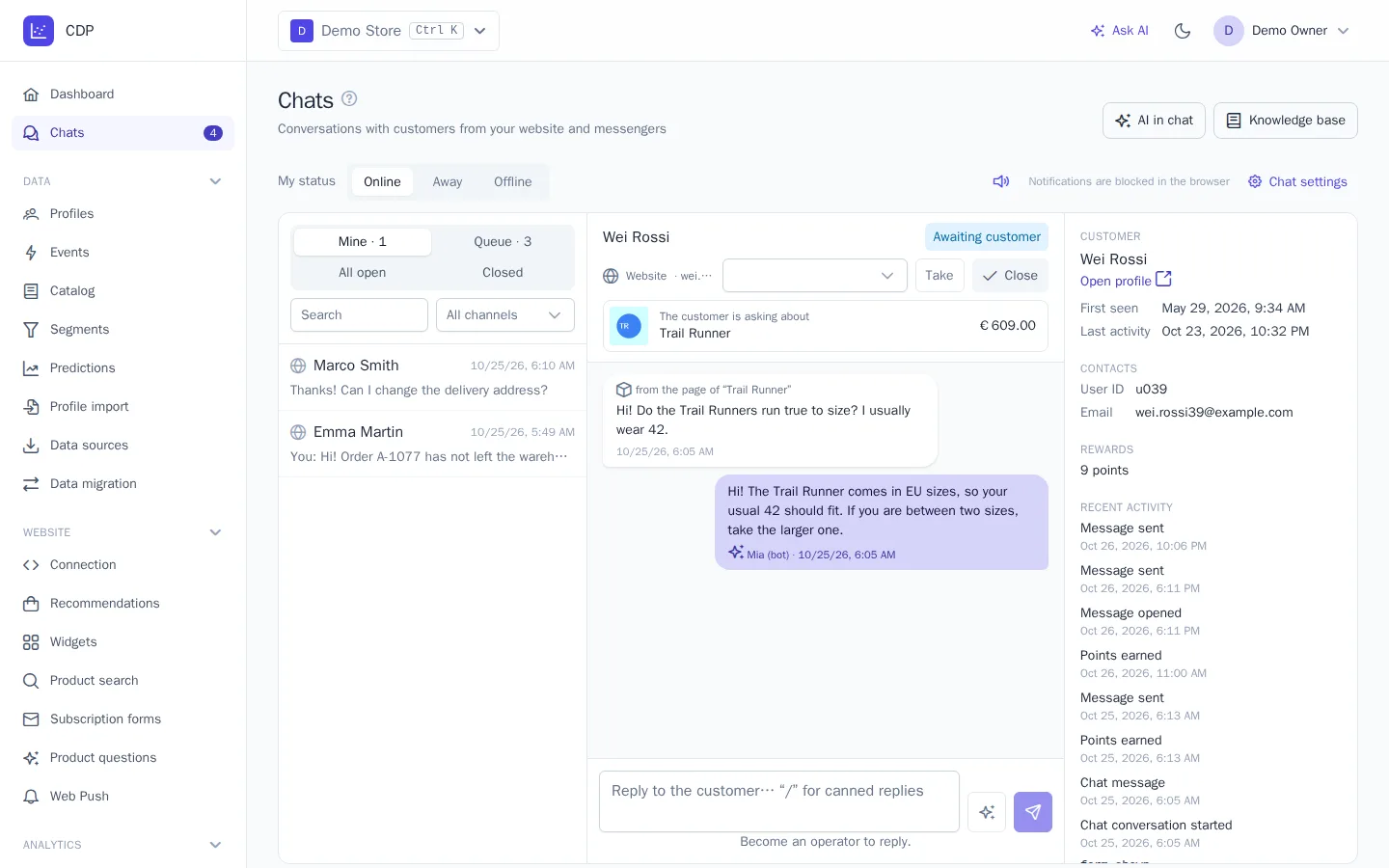
When a shopper opens live chat from the block — with the "Chat button" mode button or with "Ask a person" under the answer — the product goes into the conversation along with the messages, and the question is filled into the input field.
- The operator sees the product card in the conversation header — the image, name, price, and an "out of stock" mark if the product is unavailable; a message sent from another product's page is signed "from the page of “…”".
- The bot and AI drafts get a fresh product card — the current price and availability — and answer with the product in mind.
Report
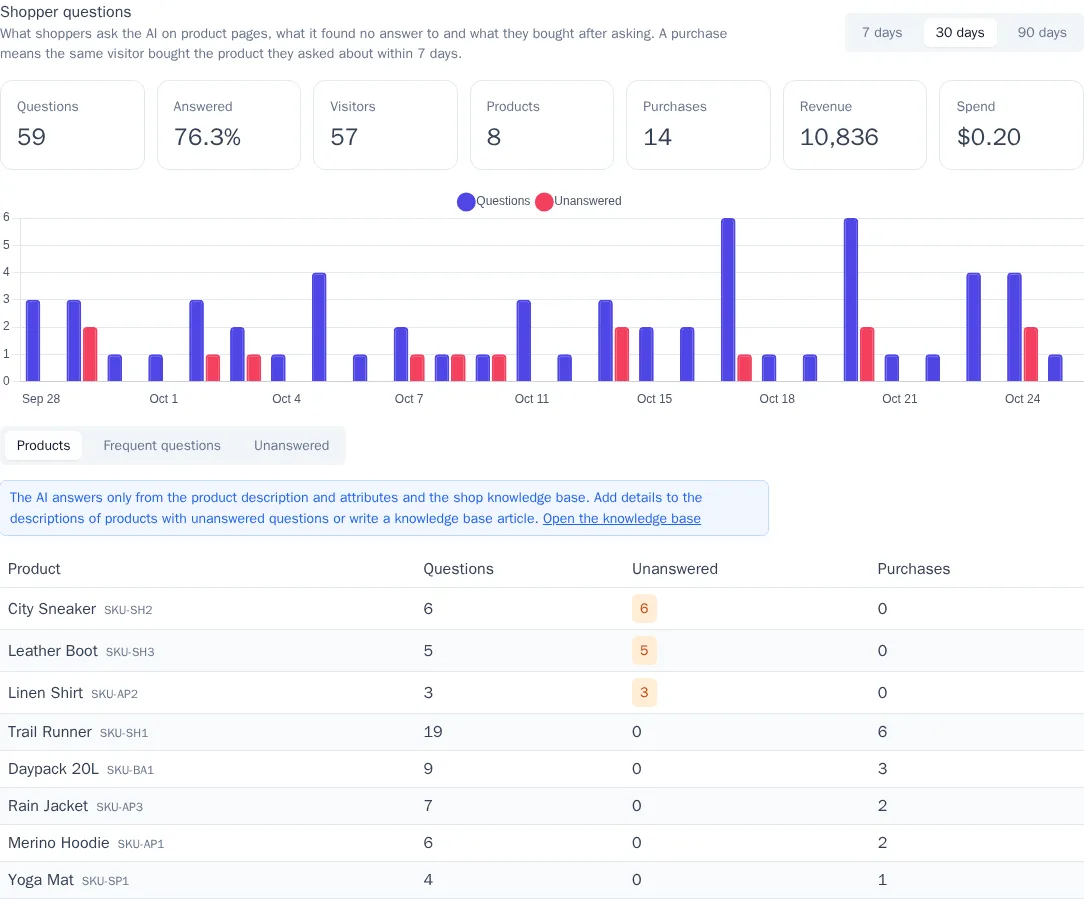
At the top of the Product questions page is a report for 7, 30, or 90 days:
- Questions and Answered — how many questions were asked and what share got an answer from the data;
- Visitors and Products — how many different people asked and about how many products;
- Purchases and Revenue — the same shopper bought the product they asked about within 7 days; revenue is based on the product price in the catalog. They're shown if the purchase event is set in the recommendation settings;
- Spend — how much was charged to the balance for answers;
- a chart of questions and unanswered questions by day.
Tables under the chart:
| Table | What's in it |
|---|---|
| Products | products by the number of questions, with unanswered questions first: their descriptions are worth expanding |
| Frequent questions | questions asked at least twice, ignoring case and spaces — most often these are the suggested questions |
| Unanswered | the last 50 unanswered questions with what the AI replied: a hint about which article to add to the knowledge base |
Personal data in question texts — phone numbers, emails, and card numbers — is masked when saved.
Billing
Answers are paid for the same way as AI in chat: each answer costs as much as the amount of text (tokens) the model processed, plus the platform markup, and is charged to the project balance. Cached answers to repeated questions are free. It works on any paid plan; during the trial, with an empty balance, or at the spending limit, the block isn't shown on the website.
Events and segments
| Event | Properties |
|---|---|
$product_question |
product_id, answered — whether the AI answered from the data, language |
$chat_message |
for a message from a product page — also product_id |
The events appear in the customer profile and are available in segments and journeys: for example, "asked about a product but didn't buy within 3 days" is a reason to remind them about the product by email.