Platform assistant
The assistant is AI built right into OneTrace.pro: ask how to do something or what is going on in your project, and get an answer with links to help articles and the pages you need. It reads the help center and your project data, such as segments, journeys, campaigns, reports, and diagnostics, but only what is available to you, and it doesn't change anything.
How to ask
Click Ask AI in the top bar on any project page. The assistant panel opens on the right: type your question and press Enter (Shift+Enter adds a line break). An empty conversation offers suggested questions, for example "What can I do on this page?".
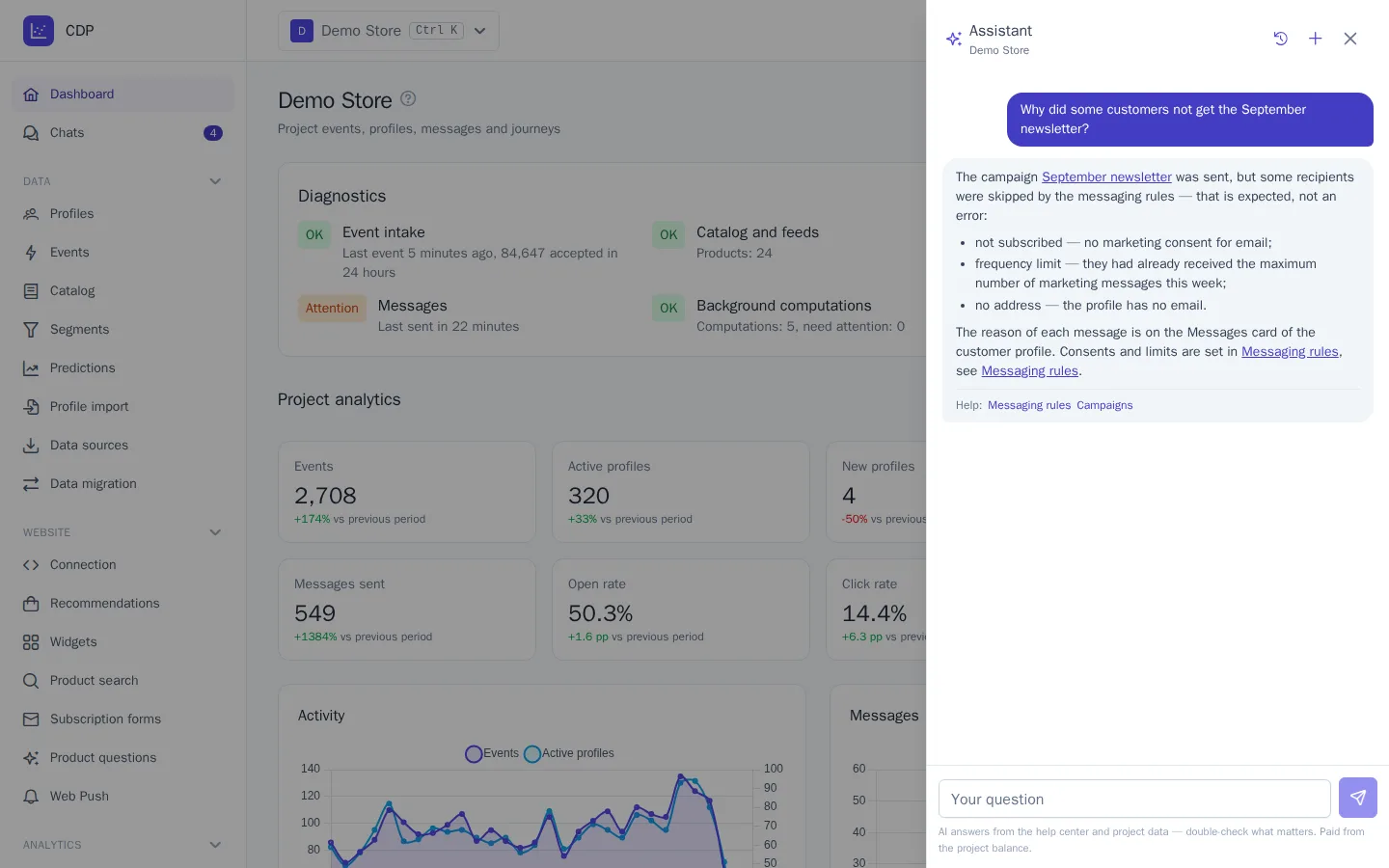
The assistant knows which page you asked from, so it understands "what can I do here?" without further explanation. It answers in the interface language, or in the language you write in if that's different. An answer usually takes 5–15 seconds.
The help center has a Didn’t find the answer? Ask AI button: it opens the assistant and asks it the text from the help search box.
What it knows
- The help center: all articles in the interface language. Before explaining how something works, the assistant reads the relevant article or section and links to it; the articles it read are listed below the answer.
- Project data: the same things you see in the interface, such as segments and their size, journeys and their reports, campaigns and templates, analytics reports, customer profiles, the loyalty program, promo codes, chats, and the data status from Diagnostics. Links in the answer lead straight to project pages.
Example questions:
- "Is everything fine with the project data? Are events coming in?"
- "Why didn't some customers receive the September campaign?"
- "How many people are in the abandoned cart journey right now, and what's its conversion rate?"
- "How do I build a segment of customers who haven't bought anything in 90 days?"
Permissions and personal data
The assistant works with your permissions in the project: if you can't see segments, neither can it. It sees customers' personal data, such as email and phone, unmasked only if you have permission for it; otherwise the data is masked just as in the interface. See Members and roles.
The assistant only reads: it can't create a segment, launch a campaign, or change settings, but it will explain where to do that. If you need an assistant that makes changes itself, connect Claude or ChatGPT via MCP. See AI assistants (MCP).
Conversation history
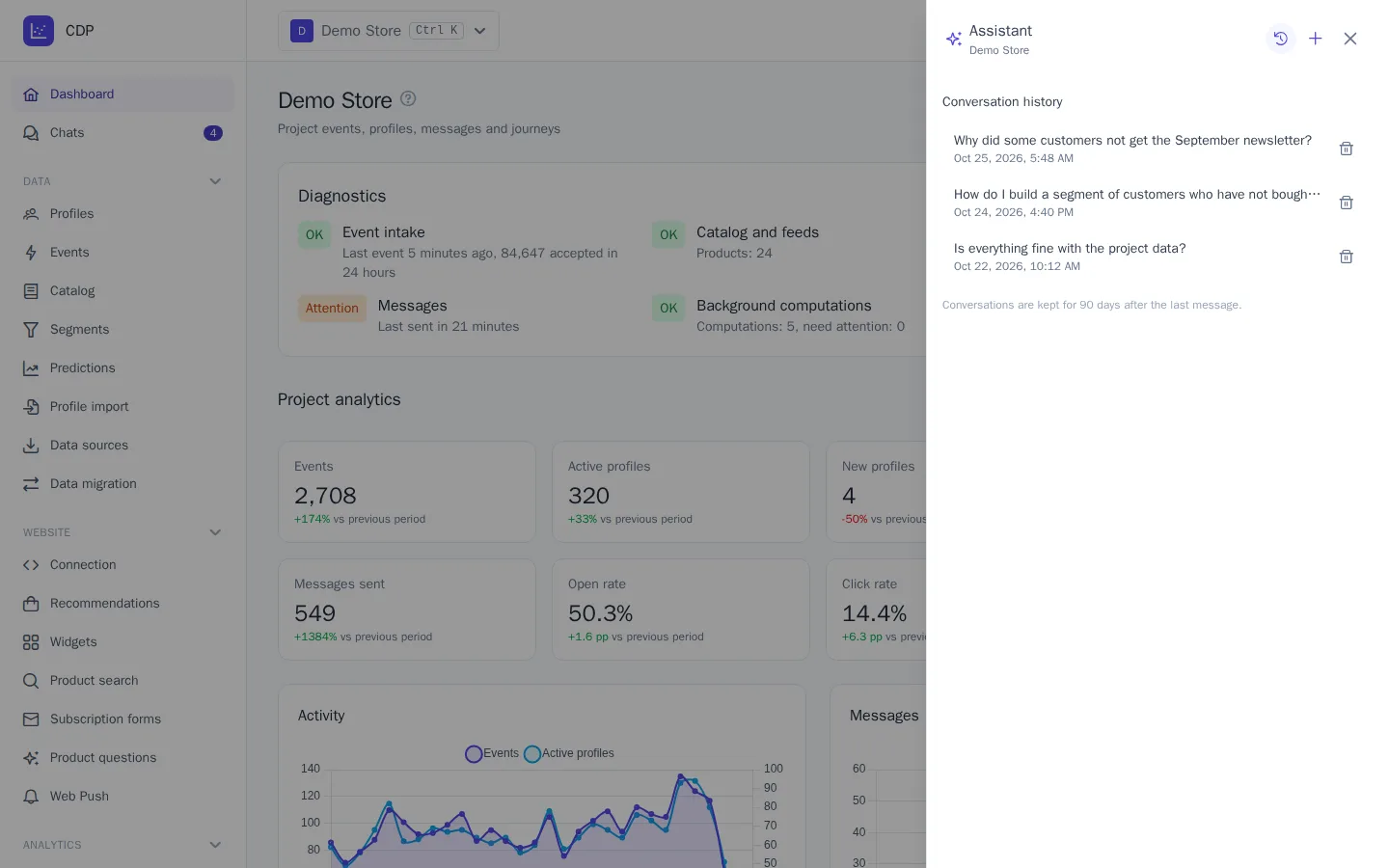
Conversations are saved: the clock button in the panel opens Conversation history. Everyone sees only their own conversations; even the project owner can't see other people's. You can delete a conversation, and it's deleted automatically 90 days after the last message. The + button starts a new conversation.
Billing
Answers are charged the same way as AI in chat: each answer costs as much as the amount of text (tokens) the model processed, plus the platform markup, and is charged to the project balance. In the balance history, this is the "Platform assistant" line. The assistant works on any paid plan; during the trial, when the balance is empty, or when the spending limit is reached, it shows why it's unavailable.
To keep spending predictable, each user can ask up to 10 questions per minute and up to 200 per day.