Game forms
A game form invites a website visitor to spin a prize wheel or scratch off the cover of a scratch card and claim a prize, a promo code or a gift, in exchange for an email or phone number. A game collects more contacts than a regular signup form, and the prize gives an immediate reason for a first purchase.
A game is the content of a website form: a popup, a flyout, or an embedded form. Display rules, segments, marketing consent, and double opt-in work the same as for a signup form. Game forms are available from the Growth plan.
Set up the game
In Website → Subscription forms, create a form or open an existing one, and in the Content field choose Game.
| Setting | What it does |
|---|---|
| Game type | Spin-the-wheel: a wheel with prize sectors spins and stops on the prize won; Scratch card: the visitor scratches off the cover with a finger or mouse and sees the prize |
| Order | Contact first: the visitor leaves an email or phone and sees the prize right away; Game first: the visitor plays, sees the prize, and leaves a contact to claim it |
| Prizes | 2 to 12 prizes: type, probability, sector color, label, and prize message in each project language |
| Play button | The button text, for example "Spin the wheel" |
| For those who have already played | The message for a visitor who has already taken part in the draw |
There are three prize types:
- Promo code: a code from a promo code pool. Each winner gets their own code;
- Text prize: a gift without a code, for example "Free shipping" or "A gift with your order". Describe what exactly the customer gets in the prize message;
- No prize: the "No luck" sector.
Prize probabilities add up to 100%: the total is shown below the prize list, and a form with any other total can't be saved. The prize label appears on the wheel sector and under the card's cover, and the message appears after the draw. Empty texts are replaced with the standard ones in the visitor's language.
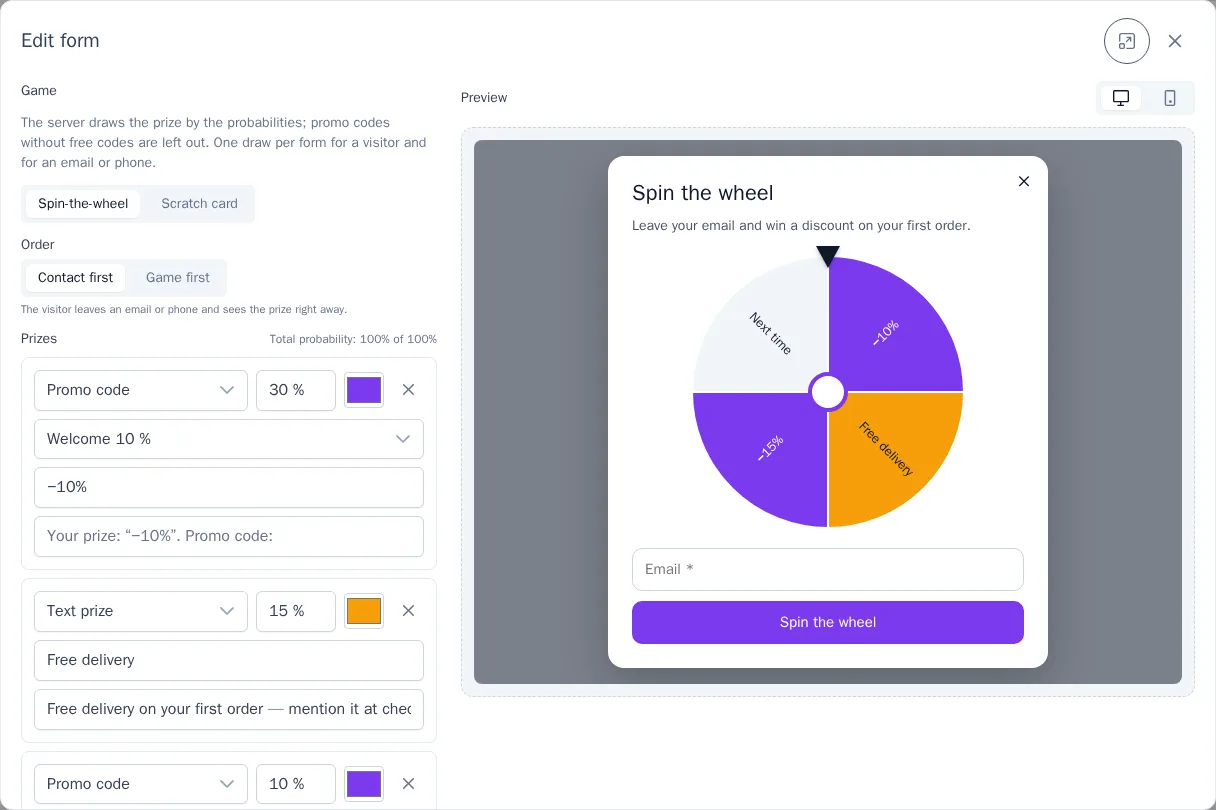
The preview is on the right: you can play in it, and the prize is drawn by the probabilities you set, just as on the website.
How the prize is drawn
The prize is chosen by the server, not by the visitor's browser: neither the probabilities nor the promo codes reach the website, so the result can't be peeked at or tampered with. The wheel stops on the sector that has already been drawn.
- One draw per form for a visitor and for an email or phone. A repeated attempt shows the same result, and anyone who has already claimed a prize sees the "For those who have already played" message, even on another device.
- Promo codes don't run out mid-promotion: a prize whose pool has no free codes left or is paused isn't drawn, and its probability is split among the other prizes. Keep an eye on the remaining codes in Promo codes.
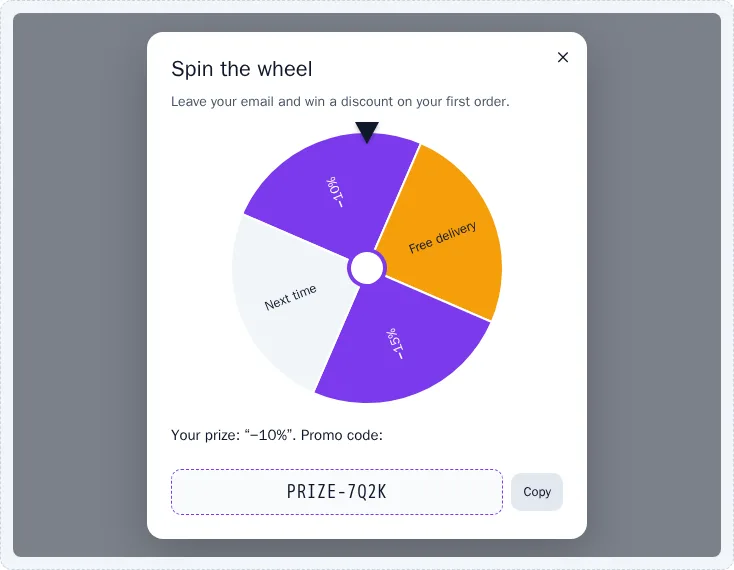
- The code is issued together with the subscription. With double opt-in, the visitor sees the prize right away and gets the promo code after confirming the address, on the confirmation page. Without confirmation, the code is shown directly in the form. The prize is tied to the address only after confirmation, so a submission with someone else’s address doesn’t take the owner’s prize.
For visitors who have turned off animations in their system settings, the wheel stops at once and the card opens without scratching. The card's cover can also be removed from the keyboard with the "Show the prize" button.
Results
In the form list, a game form shows the game type and the draws for 30 days: how many times people played and how many times a prize was claimed, in total and for each prize. A prize counts as claimed once the visitor leaves a contact. With the "Game first" order, the difference between draws and claimed prizes shows how many visitors played but didn't leave a contact.

Journeys and segments
The welcome email to the winner is sent by a journey with the Form trigger and the "subscription completed" event:
- the prize's promo code is
{{ event.properties.promo_code }}; - the prize type is
{{ event.properties.prize_kind }}:promofor a promo code,textfor a text prize,nonefor no prize. You can split the emails by prize type with a condition in the journey.
In segments, the "Website form game played" event is available, including for those who played but didn't leave a contact.