Product reviews
Customer reviews help other shoppers choose a product, and stars in search results attract clicks. OneTrace.pro collects reviews through a link in a post-purchase email, checks them with AI, and shows the published ones on the product page, in recommendation widgets, in emails, and in AI chat answers.
Product reviews are available from the Growth plan, see Plans. You need a product catalog (Recommendations and product catalog).
Review link
Add a link with the review_url function to a post-purchase email — for example, in a journey a week after the order:
Rate your purchase: {{ review_url(event.properties.items) }}
You can pass the function a product ID (review_url('SKU-123')), a list of IDs, or a list of products with an id or product_id field — up to 10 products. The link is personal and signed: the shopper can review only the products from the email, and the review goes into their profile.
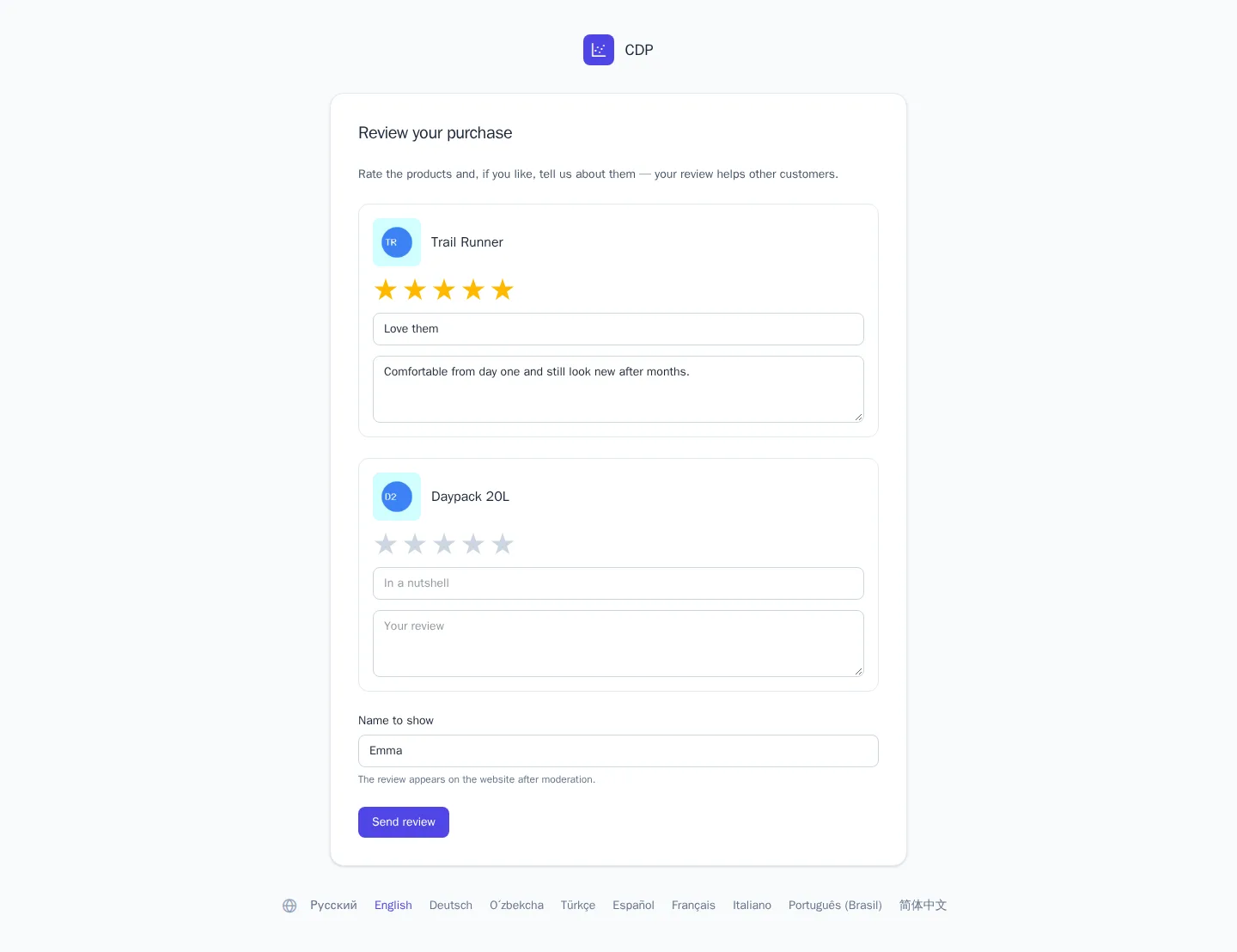
On the review page, the shopper gives each product one to five stars, optionally writes a title and text, and enters the name that will be shown on the website. Products without a rating are skipped. The review can be changed through the same link, and a changed review goes through moderation again. A shopper leaves one review per product.
Moderation
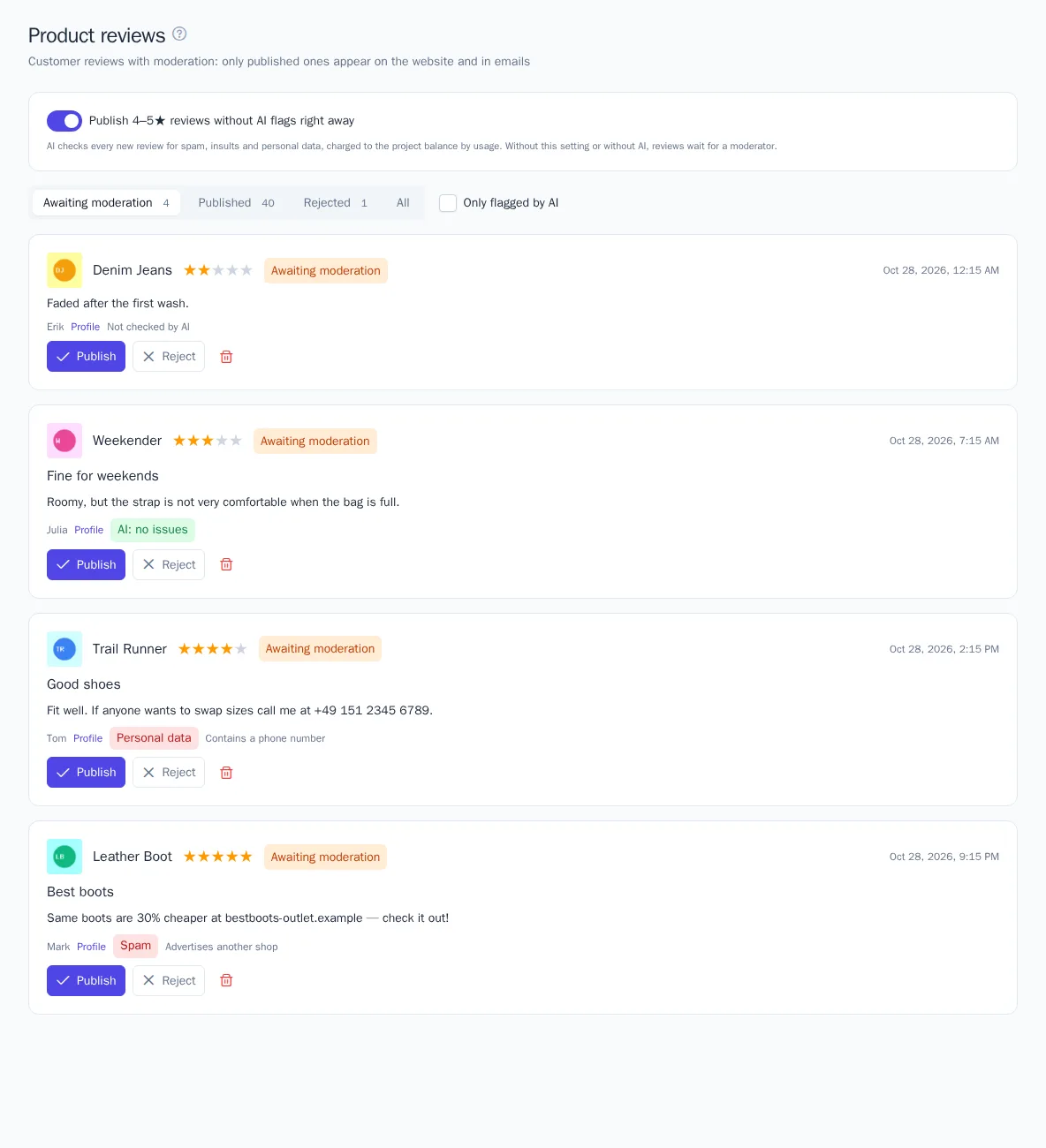
New reviews wait for a check in Website → Product reviews. At the top are the queues Awaiting moderation, Published, Rejected, and All, and the Only flagged by AI checkbox leaves the reviews where the AI found something. Each review shows the product, the rating, the text, the author's name, and a link to the shopper's profile.
- Publish — the review appears on the website and counts toward the product rating;
- Reject — the review isn't shown but stays in the section;
- the trash icon deletes the review completely.
A role with permission to view products can view reviews, and a role with permission to change products can make decisions. Each decision is recorded in the project audit log, see Project settings, plan, and audit.
AI check
The AI checks every new review and adds flags with a reason:
| Flag | What the AI found |
|---|---|
| Spam | ads, links to other stores, meaningless text |
| Insults | swearing and insults |
| Personal data | phone numbers, addresses, emails, and other data in the text |
A review without issues gets the "AI: no issues" mark. A negative rating is no reason for a flag: an honest two-star review passes the check.
Turn on Publish 4–5★ reviews without AI flags right away so that good reviews appear on the website without waiting. Other reviews — with a low rating, with flags, or with a link or phone number in the text — still wait for a moderator.
The check is charged to the project balance by usage, like other AI features. With no money on the balance, reviews aren't checked and wait for a moderator without flags.
Review block on the website
Insert an element with the catalog product ID on the product page:
<div data-cdp-reviews data-product-id="SKU-123"></div>
The tracker shows the average rating in it, the distribution of ratings from 5 to 1, and published reviews 10 at a time, with a Show more button. Labels are in the visitor's language. If there are no reviews yet, the block says so. Ready-made code for one of your products and a block preview are in Website → Product reviews.
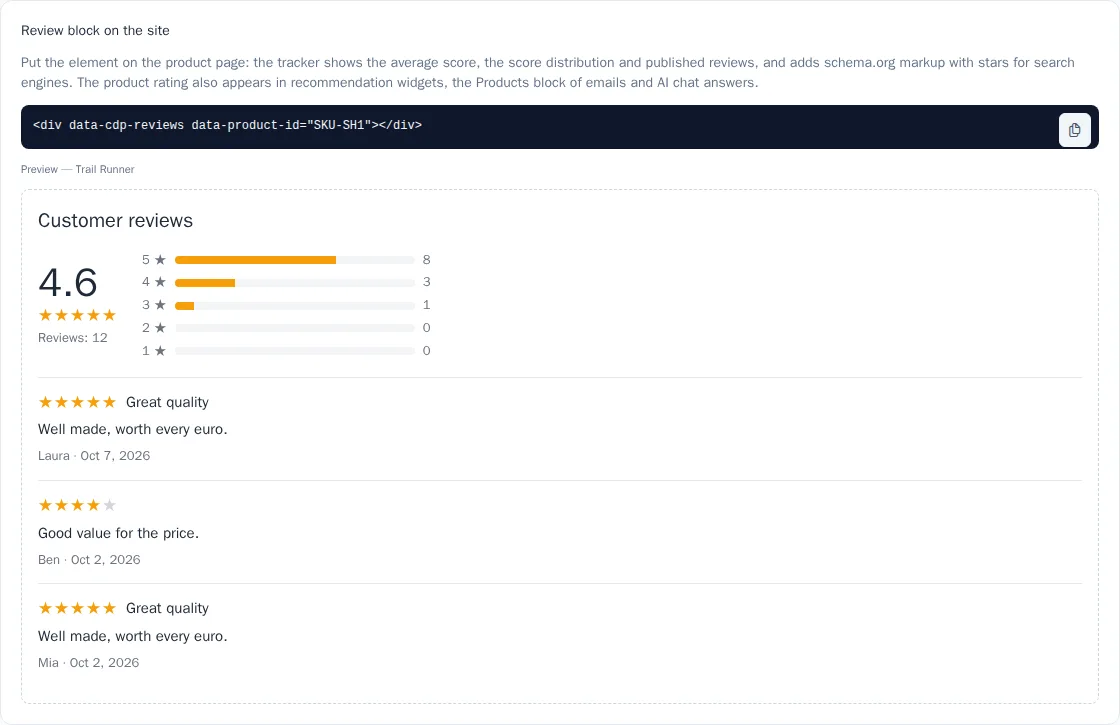
- Stars in search. The block adds schema.org markup to the page — the product rating and reviews, which search engines use to show stars in results. If the page already has its own product markup with reviews, add
data-schema="false". - Star color — the
data-accent="#f59e0b"attribute. - Single-page website. If the product on the page changes without a reload, change
data-product-id, and the block updates itself. - Turn off the block for the whole website —
cdp.init(key, { reviews: false }).
Rating in recommendations, emails, and chat
The product rating — the average of published reviews — is recalculated after each moderator decision and is shown:
- in recommendation widgets — stars and the number of reviews under the product name;
- in the Products block of the email builder — a rating line for products with reviews;
- in AI in chat answers: the bot sees the rating of the products it suggests.
API
GET /api/v1/reviews?product=SKU-123— published reviews of a product, its rating, and the distribution of ratings. It works with a write key and a secret key, which is handy for your own review block or app.POST /api/v1/reviews— a review from the store's server (a secret key with permission to change products): the shopper is found by an identifier, for example an email. The review goes through the same check and moderation. To move already checked reviews from a previous system, passpublish: trueand the review datedate, and the review is published right away.
Details are in the API reference, see API keys.
Events
Each review is recorded in the shopper's profile as a $review_submitted event with the properties product_id, rating, and source. You can use it to build a segment or to thank the shopper in a journey.