Social media
Keyword rules turn social media comments and messages into subscribers. A person writes a word, for example "WANT", in a comment on a post, in a reply to an Instagram story, or in a direct message. In return, they get a direct message: a promo code, a link, an answer to a question. The person also becomes a OneTrace.pro profile with events, and you can then reach them with journeys and campaigns in the same social network.
Rules work with a connected VK community and Instagram account. The section is in the menu under Engagement → Social media and is available from the Growth plan. All roles can view rules; roles with access to campaigns can create and change them.
Rule
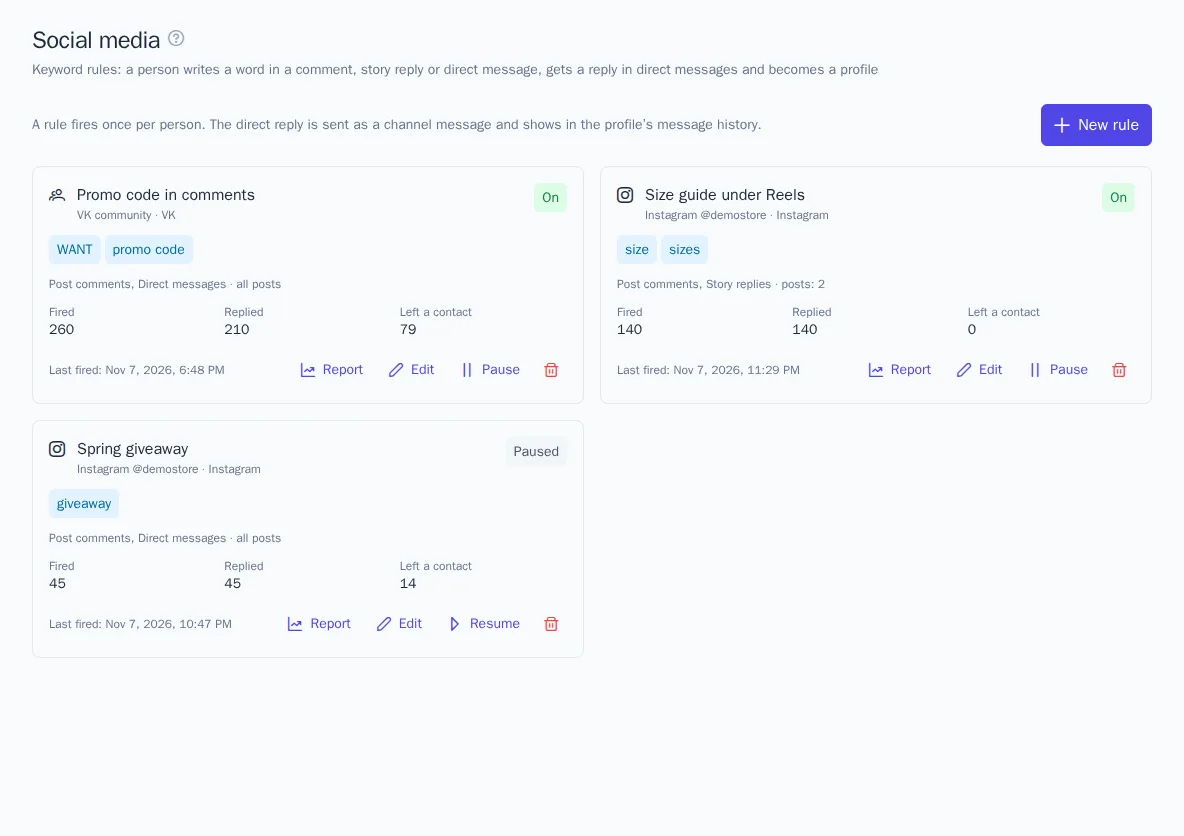
- Open Social media and click New rule.
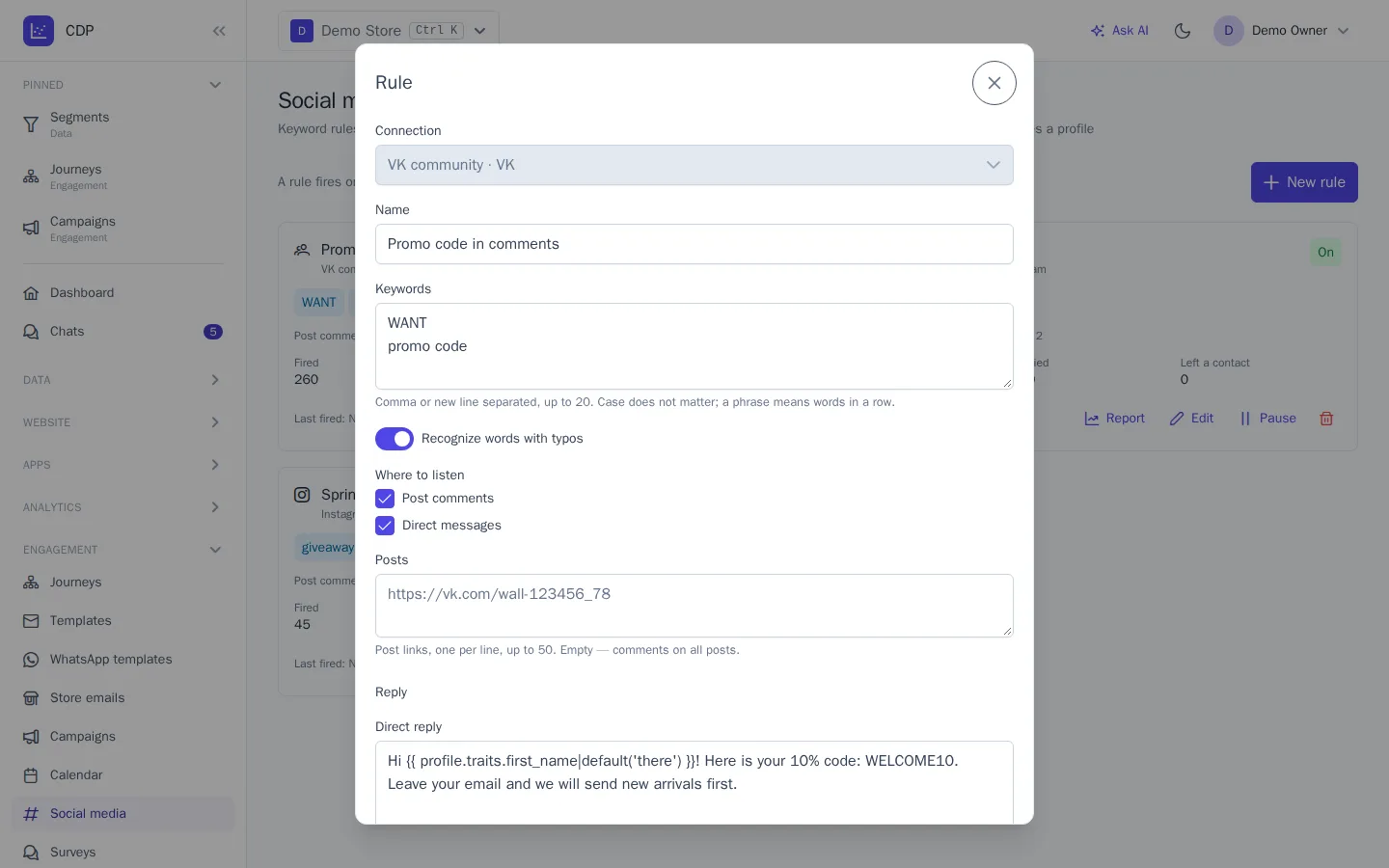
- Choose the Connection: a VK community or an Instagram account. You can't change it once the rule is saved.
- List the Keywords, separated by commas or new lines, up to 20. Case doesn't matter, "ё" and "е" are treated as the same letter, and a phrase matches when its words appear in a row. Recognize words with typos allows one typo in words of 5 letters or more and two in words of 9 letters or more; short words are matched exactly.
- Check Where to listen: post comments, story replies (Instagram only), and direct messages. For comments, you can list Posts by link: for example,
https://vk.com/wall-123456_78or a link to an Instagram post or Reel. Leave it empty for comments on all posts. - Write the Direct reply and, optionally, a button with a link. You can insert profile data into the text, as in message templates.
- Save. The rule starts working right away; the Pause button on its card stops it.
A rule fires once per person: someone who writes the word under every post gets a reply only the first time. If several rules match, the one created first fires.
Comment replies
Social networks don't always allow a direct reply to a comment, so OneTrace.pro chooses the method itself:
- VK, the person has already allowed community messages: the reply goes to direct messages.
- Instagram: the reply goes as a private reply to the comment. Instagram allows one such reply within 7 days of the comment, and the button in it is shown as a link.
- VK, messages not allowed: the community replies under the comment with the text from the Comment reply field and a link to the conversation. When the person follows the link and writes, the rule's reply goes to direct messages. For comment replies, the community token needs the "Wall" permission.
If the reply went to direct messages and the Comment reply field is filled in, a public reply also appears under the comment, for example "Check your DMs".
Story replies and direct messages
A word in a reply to an Instagram story or in a direct message gets the rule's reply in direct messages. The live chat bot doesn't answer such a message, but the conversation stays with the operators.
Collecting email and phone
In the Ask for a contact field, choose email or phone and ask for it in the reply text. If the person sends the address within a day, it becomes a contact of the profile, and the text from the Reply when the person sends the contact field is sent in response.
- An address that already belongs to another profile isn't linked to this person: this way, one customer doesn't get someone else's emails.
- Subscribe to marketing gives the sent address email or SMS consent. Turn it on only if the reply text says that the person is subscribing.
Report
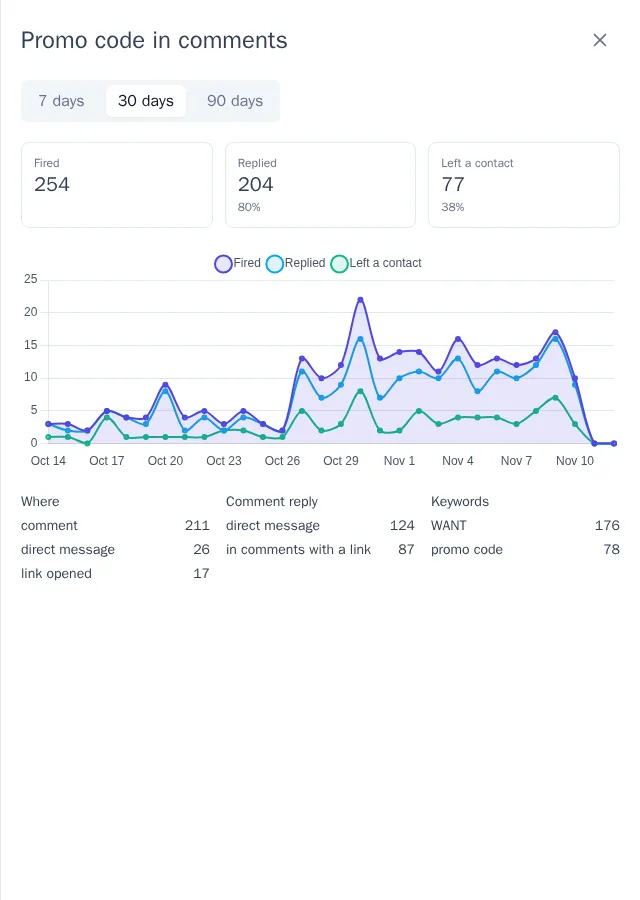
A rule's card shows how many times it fired, how many people got a reply, and how many left a contact, for all time. The Report button opens a chart for 7, 30, or 90 days and a breakdown: where the rule fired, how comments were answered, and which keywords people wrote most often.
Journeys and segments
Each time a rule fires, the social.keyword event is written to the profile, and a sent contact is written as the social.contact event, with the rule name, the word, and the social network.
- The Social media keyword journey trigger starts a journey when a rule fires or a person leaves a contact. You can choose the rule and the social network.
- The Social media keyword segment condition selects people a rule fired for in the last N days, for example for a campaign to subscribers from comments.